1
Set your cutoff
Choose the hour orders must be placed for same-day dispatch, and pick the timezone your warehouse actually uses.

A live countdown to your same-day dispatch cutoff — urgency that helps shoppers order in time.
Klify - Order Deadline Timer places a product-page countdown toward your daily shipping cutoff. Set the hour and timezone, write urgency copy with a live {time} token, choose placement above the title or below Add to Cart, optionally show seconds and weekends, and style the pill with brand colors and a subtle pulse. Built for merchants who want same-day dispatch urgency without editing theme Liquid.
Choose the hour orders must be placed for same-day dispatch, and pick the timezone your warehouse actually uses.
Use {time} in your message for a live countdown, plus a clear after-cutoff line for next-day dispatch.
Show the timer below Add to Cart or above the product title — then enable weekends, seconds, or pulse as needed.
Cutoff hour, timezone, live copy, placement, and motion — tuned so shoppers understand when “order now” actually matters.
Counts down to a fixed hour each day. After the cutoff, switch to your next-day dispatch message.
Run the clock in your warehouse timezone so East Coast shoppers and West Coast fulfillment stay aligned.
Template copy with a live {time} token, plus a dedicated expired/next-day message after cutoff.
Optional seconds, brand colors, and a soft pulse animation to draw eyes without screaming.
Define the hour that ends same-day processing. Before cutoff, shoppers see a live HH / MM (/ SS) countdown. After cutoff, they see your next-day message.
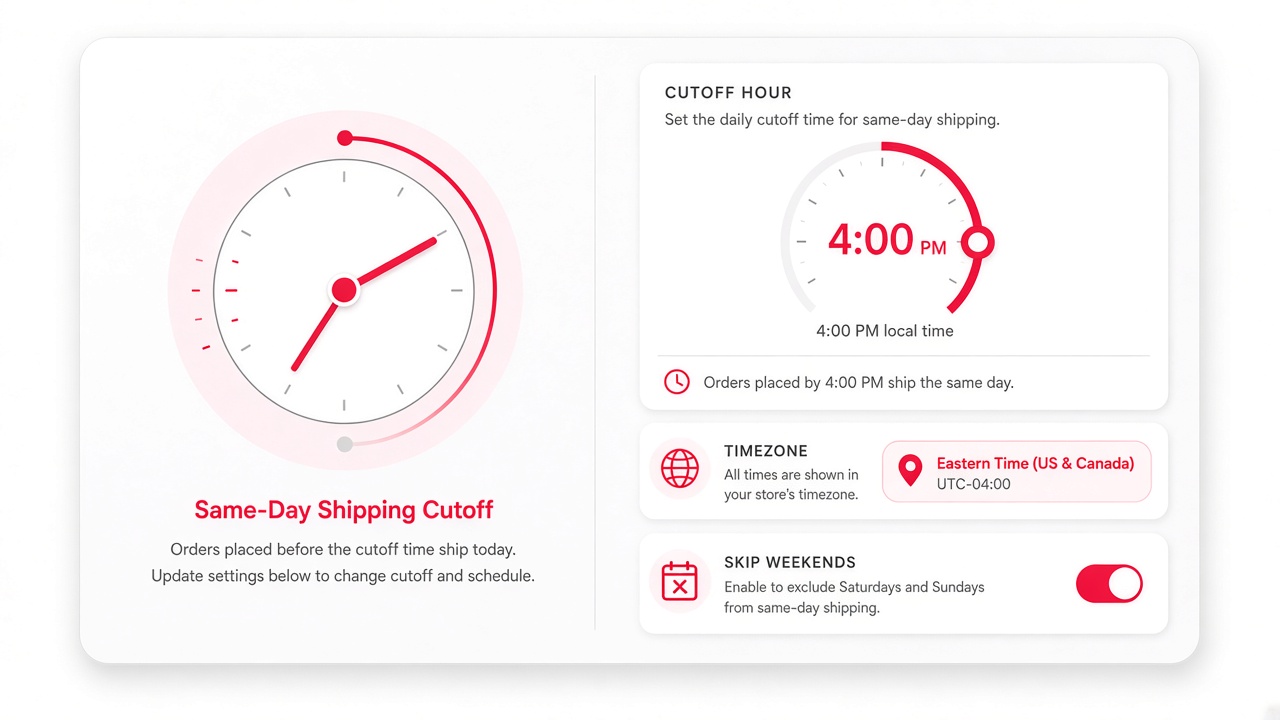
Set 14:00, 16:00, or any warehouse hour — the timer recalculates every second in the browser.
When the deadline passes, stop the clock and show a calm next-day dispatch line instead of a misleading countdown.
Hide the timer on Saturdays and Sundays unless you enable weekend dispatch for Growth+ plans.
Closed-day calendars are planned so cutoffs can skip merchant holidays automatically.
Speak in your brand voice. Inject the live countdown into a sentence shoppers understand at a glance.
Example: “Order within {time} for same-day dispatch!” — the token updates every second.
After cutoff, switch to copy like “Order now for next-day dispatch” so expectations stay honest.
Show HH + MM for calmer urgency, or add seconds when you want a stronger ticking effect.
A subtle scale/opacity pulse draws attention without covering the product media.
The timer appears on product pages near the purchase decision — not buried in the footer.
Default placement sits under the buy button so the deadline is visible at decision time.
Move the timer above the H1 when you want urgency before shoppers even read the description.
The widget looks for common Add to Cart selectors so it can attach across many Shopify themes.
Disable the timer instantly from admin without removing the app or editing theme files.
Keep the timer readable and on-brand with background and text colors — defaults lean into high-contrast urgency.
Pro plans unlock custom colors so the pill can match sale reds, brand navy, or soft neutrals.
Inline flex layout with icon + message keeps the countdown neat beside product forms.
Sized for product templates on phones so the countdown stays legible above the fold.
Designed as a lightweight storefront widget so you are not fighting custom Liquid for every theme update.
Free covers the essentials. Growth and Pro unlock positioning, seconds, timezone, weekends, colors, and pulse.
Cutoff hour, countdown message, expired message, and enable toggle for product pages.
Adds seconds counter and advanced placement (above title) for stronger PDP experiments.
Timezone control, custom colors, weekend visibility, and pulse animation.
Plan tiers include storefront view limits so catalogs of every size stay covered.
Answers for merchants evaluating Klify - Order Deadline Timer.