1
Pick a verification mode
Use a fast 1-click Yes/No gate or require month/day/year date of birth for strict compliance.

Age gates, date-of-birth checks, and terms acceptance — without coding.
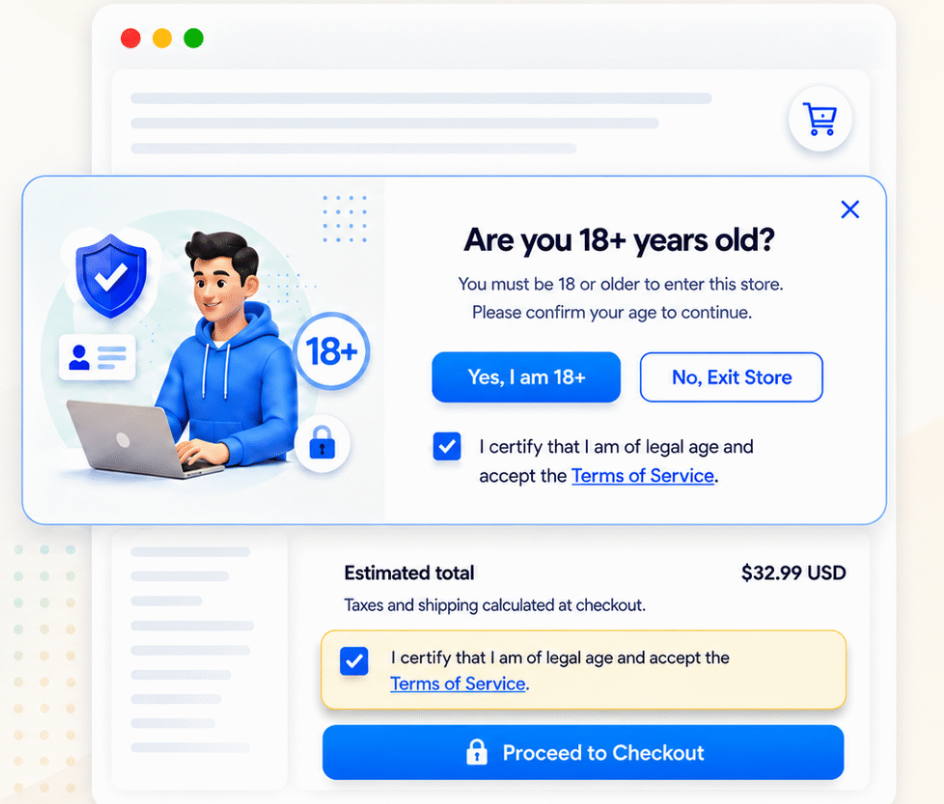
Klify – Verify Age & Terms helps merchants restrict access to age-sensitive stores and products, stay compliant with local age rules, and present a fully customizable storefront age popup. Choose Yes/No or date-of-birth verification, apply country-specific minimum ages, remember verified visitors by session or cookie, require Terms & Conditions on the popup, cart, login, register, contact, and checkout (Plus), and brand the gate to match your store.
Use a fast 1-click Yes/No gate or require month/day/year date of birth for strict compliance.
Show the gate storewide or on products, collections, tags, and cart — and place terms on popup, cart, login, register, or contact pages.
Detect location by IP, apply country age limits, control cookie or session memory, and track verification analytics.
Dual workflows for low-friction entry or strict compliance — with dynamic {minAge} messaging and clear decline handling.
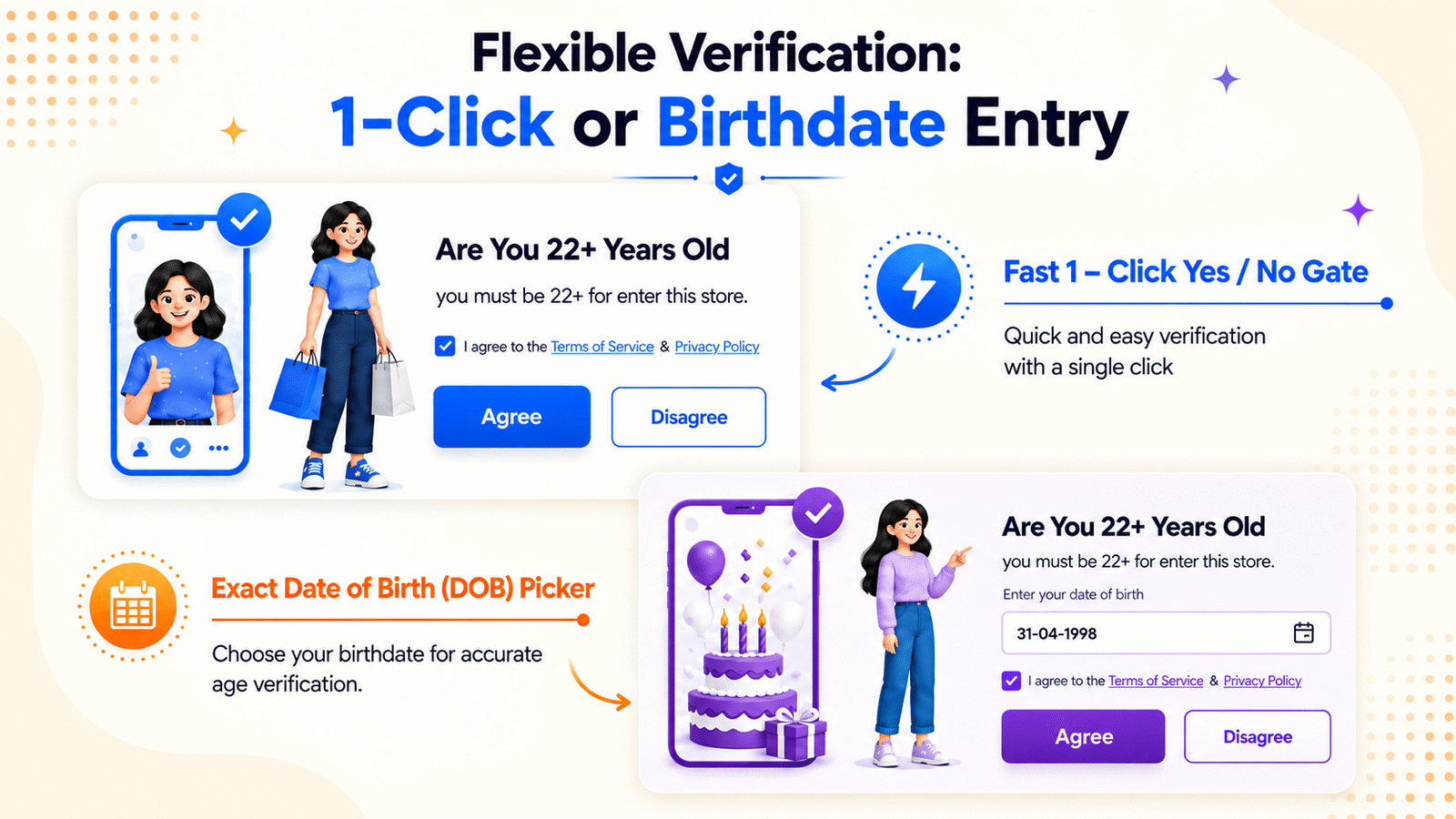
Single-click confirmation with Accept and Decline buttons. Ideal when shoppers only need to confirm they meet the minimum age.
Require month, day, and year of birth, then automatically check the calculated age against your minimum.
Set a default baseline age and use the {minAge} token in titles, body text, buttons, and denial messages so copy updates with location or product context.
Keep the modal open with an inline denial message, or instantly redirect underage visitors to an external URL (for example a legal warning page).
Trigger verification storewide, or isolate it to the pages and products that need it.
Show the gate on all pages, product pages, collection pages, cart page, and cart drawer.
Limit campaigns to selected products or collections instead of the entire catalog.
Target tagged items such as age-restricted, alcohol, or 21+ so only the right SKUs trigger the gate.
Collect consent at every critical touchpoint — in the age gate popup, slide-out cart drawer, and cart page — with verification logged on the order.
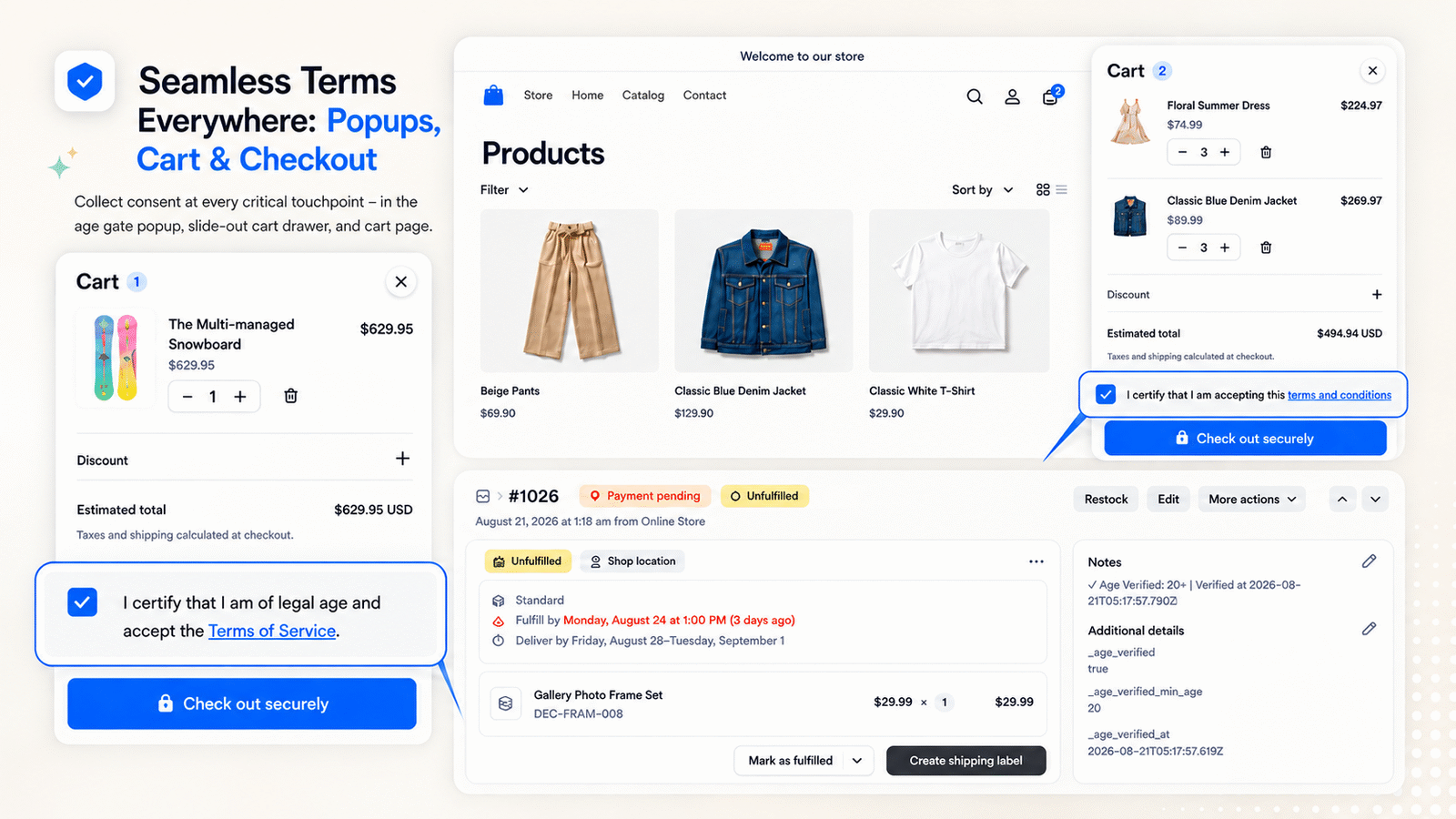
Show Terms acceptance in the age gate and again on the cart page or cart drawer before checkout.
Verified age and timestamp are written to order notes and attributes so you can audit consent later.
Automatically detect shopper location by IP and enforce legal age requirements per country.

Identify shopper location via Shopify context and IP geolocation so the right minimum age applies automatically.
Set location-aware limits (for example US 21, Canada 19, Japan 20) while keeping a storewide default baseline.
Titles, body text, buttons, and denial messages update with the evaluated minimum age for the visitor’s location.
Require an explicit Terms of Service checkbox, style the agreement, and choose where it appears — including Login, Register, and Contact-Us.
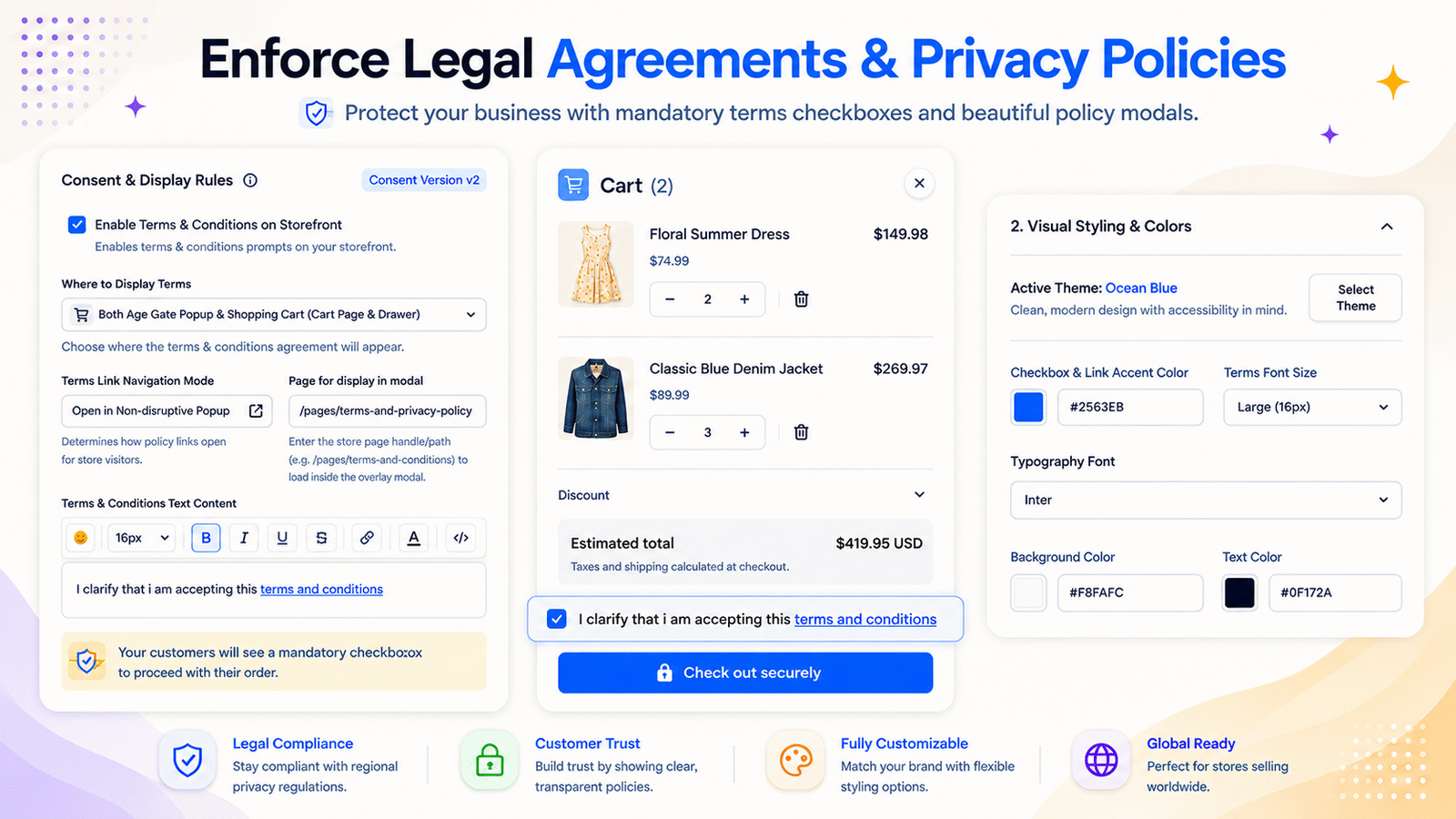
Require customers to check Terms of Service before verifying age or continuing, with customizable label and modal policy content.
Independently display terms on custom pages — Login, Register, and Contact-Us — as well as the age popup, cart, and cart drawer.
On Shopify Plus, add terms and conditions validation on the checkout page.
Open terms in a non-disruptive popup and match checkbox colors, fonts, borders, and presets to your brand.
Match your brand with themes, colors, logos, button layouts, entrance motion, mobile controls, and Custom CSS.
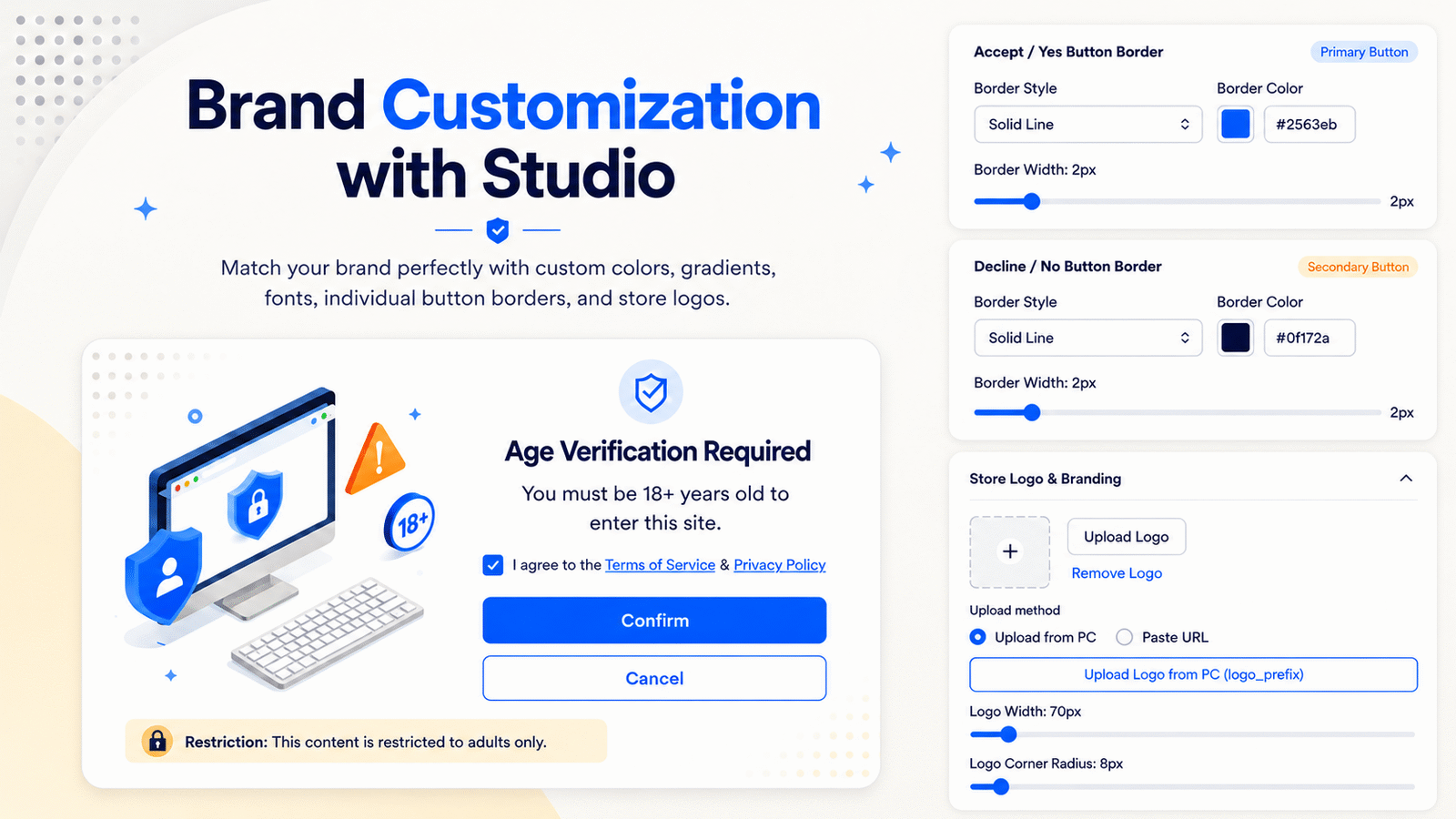
Use built-in presets or custom solid, gradient, image, and pattern backgrounds with blur, opacity, and 9-point popup positioning.
Upload a store logo, set width and alignment, and fully style Accept/Decline buttons — shape, colors, stacked or side-by-side, width, and radius.
Independent mobile typography scaling, image placement (top header, full background, or hide), and button alignment.
Add entrance animations and delays, then override fonts, shadows, borders, and glassmorphism with the Custom CSS editor (Pro).
Choose whether to remember verified customers for seamless repeat shopping or re-verify every session for strict legal compliance.
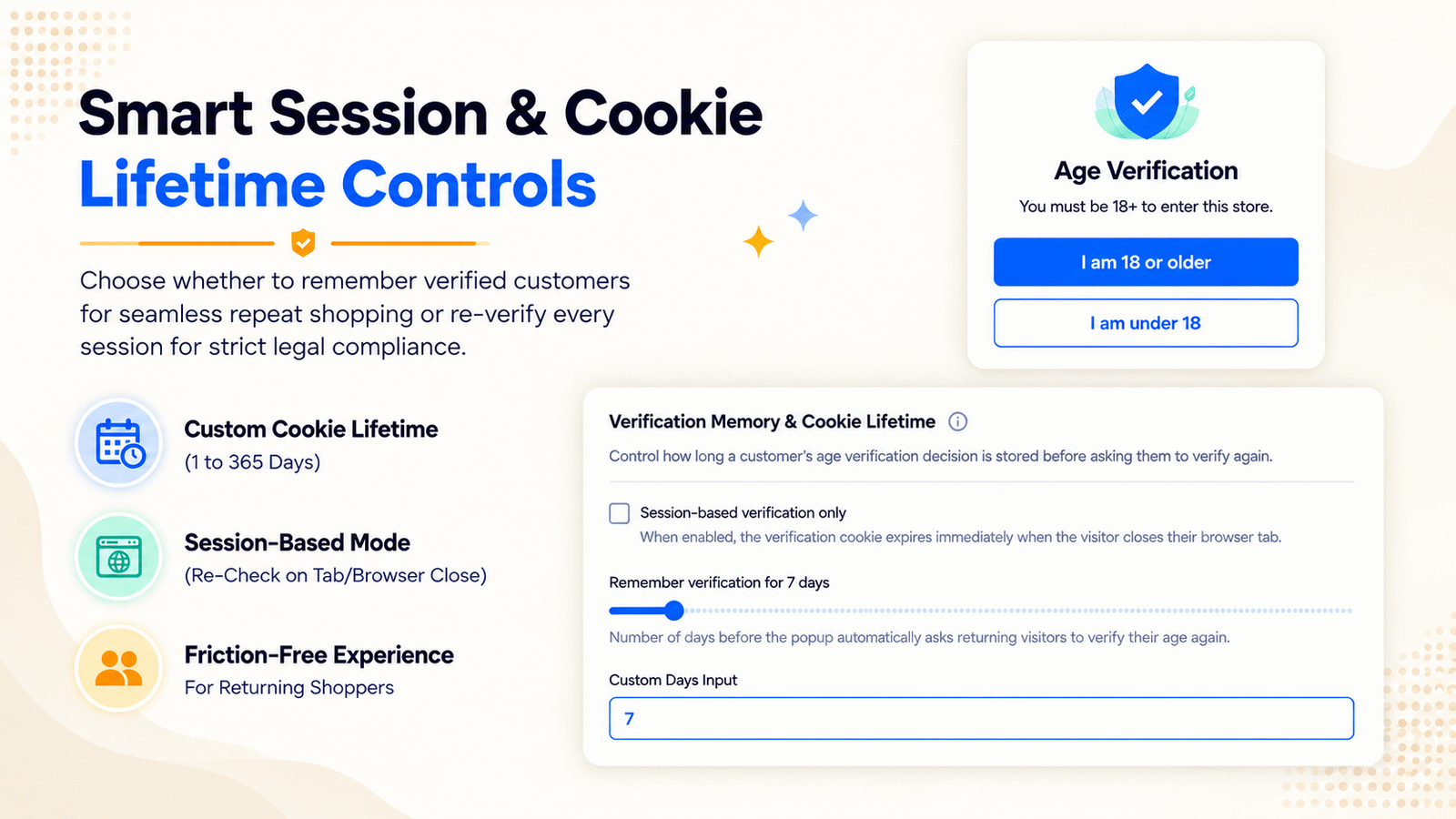
Remember verification for 1 to 365 days so returning shoppers are not blocked on every visit.
Re-check when the visitor closes their browser tab for stricter compliance.
Balance seamless shopping with the audit posture your category requires.
Track popup impressions, verified visitors, decline rates, and conversion percentages — then filter by date, campaign, or device.
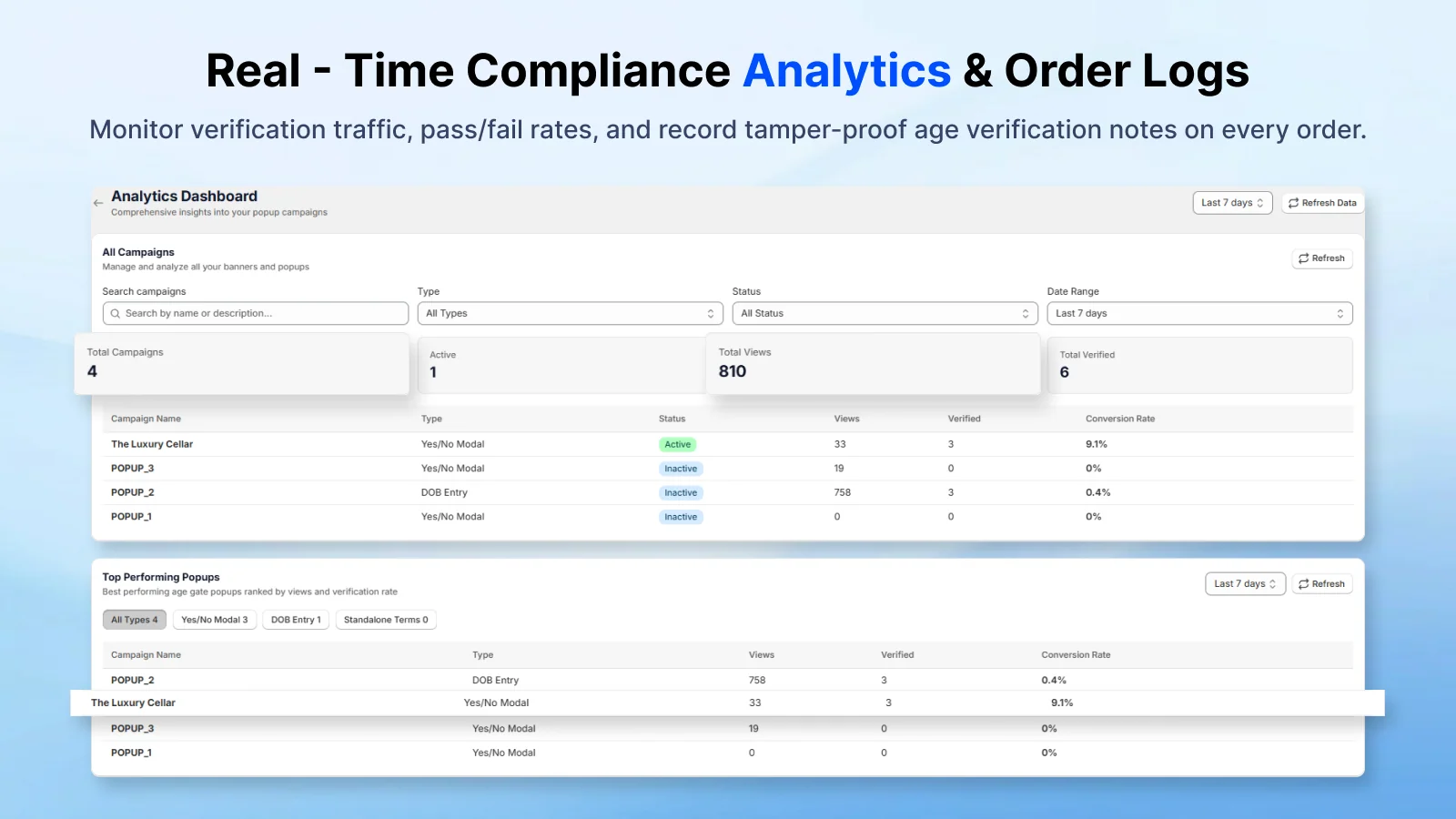
See how many shoppers saw the gate and how many completed verification.
Measure declines and conversion percentages so you can tune campaigns and stay audit-ready.
Launch faster with admin campaign templates, and auto-translate popup copy to published Shopify storefront languages.
Answers for merchants evaluating Klify - Verify Age & Terms.