1
Configure the offer
Turn protection on, choose a pricing mode, and set which carts are eligible.
Offer protection in the cart, collect the fees, and let customers submit claims through a dedicated portal.
Klify - Shipping Protection lets shoppers add optional coverage for loss, theft, and damage in transit. You set the price and who sees it, charge a clear fee at cart or checkout, then resolve claims from one dashboard.
Turn protection on, choose a pricing mode, and set which carts are eligible.
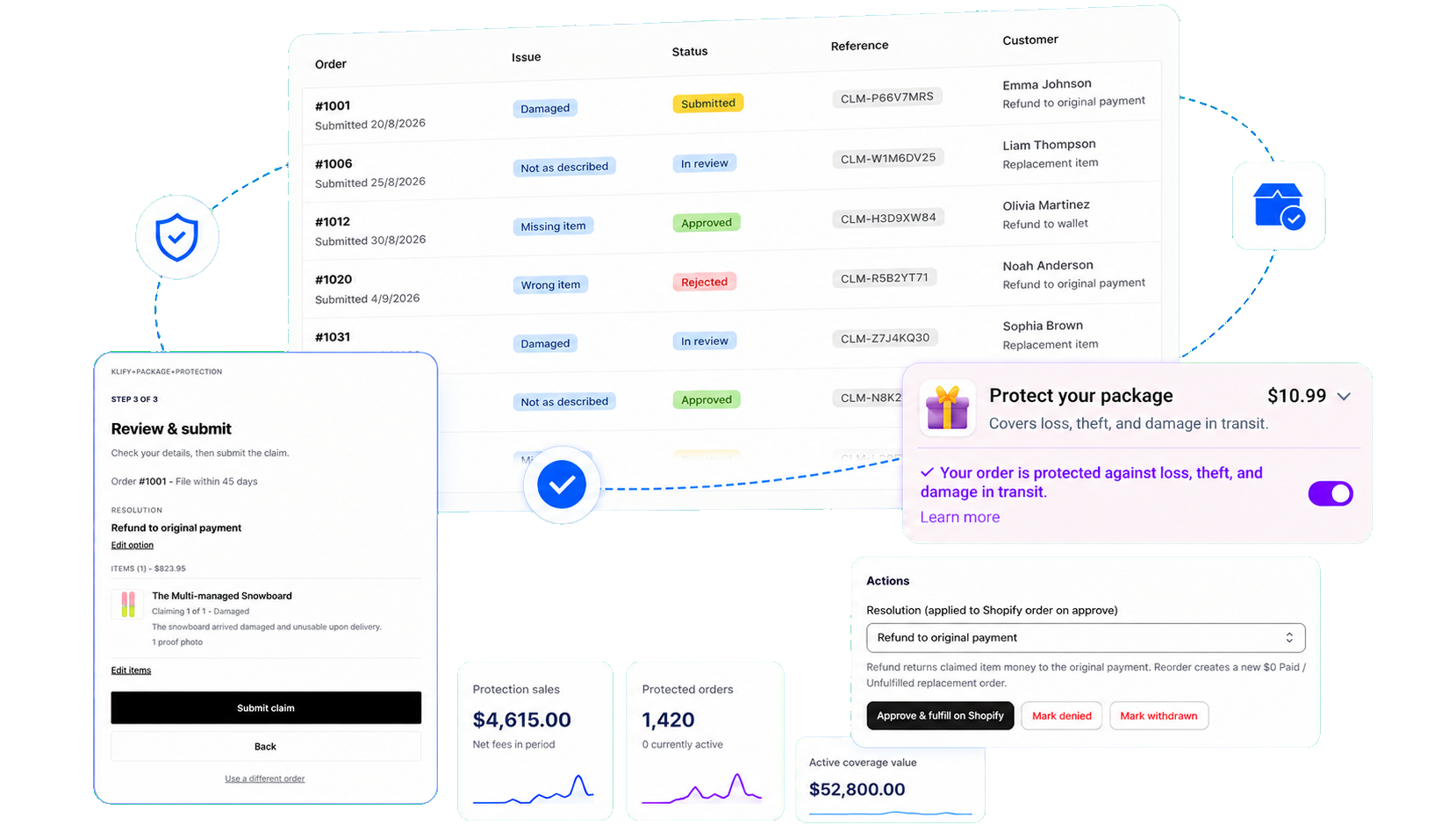
Eligible carts see a clear fee for loss, theft, and damage. Checkout still completes if they decline.
Customers file through your portal. You review and refund or reorder from the claims inbox.
Shoppers see the protection price before they opt in. Pick a percentage, a flat fee, or cart-value tiers.
Fee is a percentage of the eligible cart subtotal, with optional min and max caps.
Charge the same protection amount on every eligible cart.
Set cart-value ranges so larger orders can use a different rate.
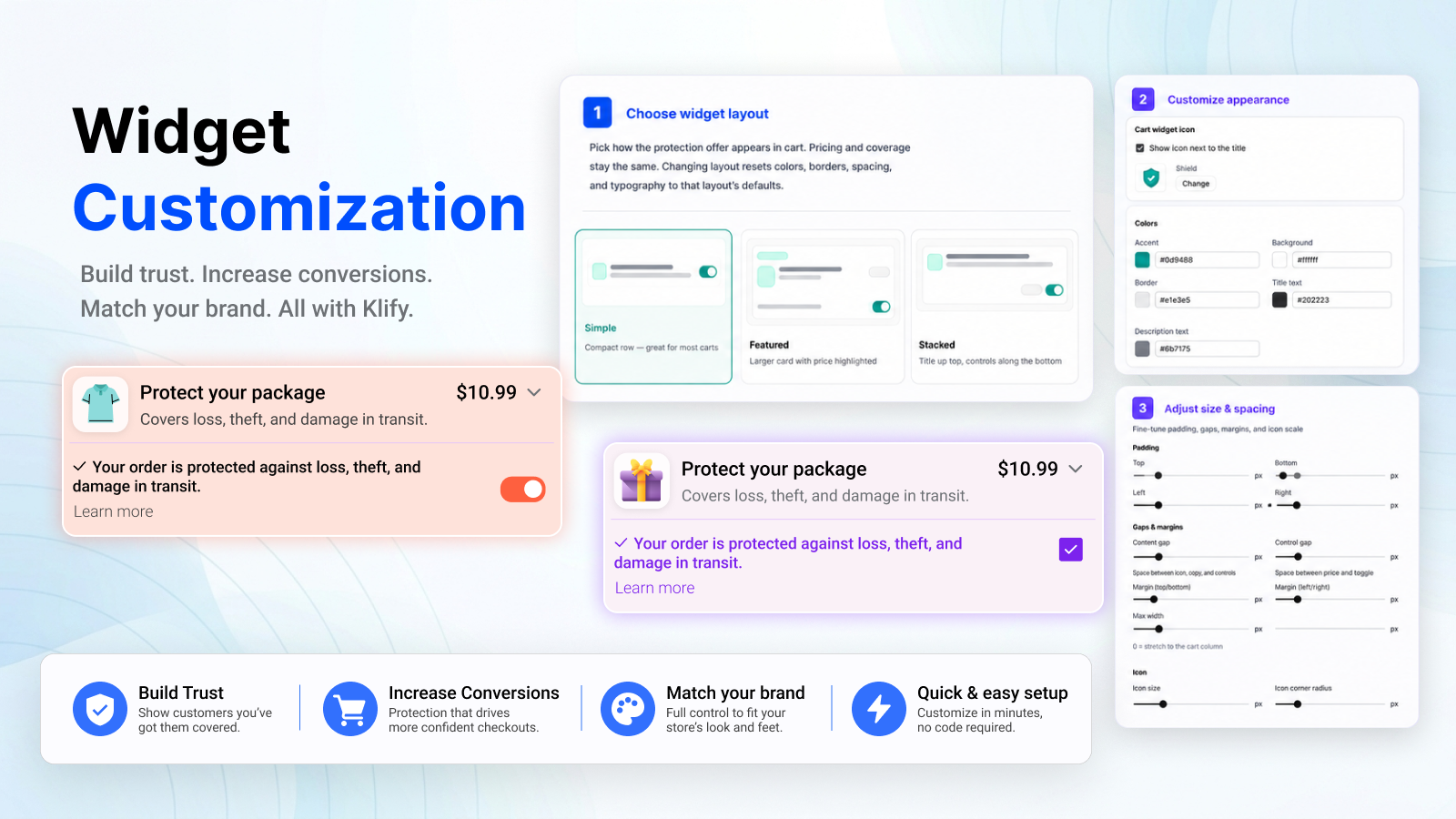
Show protection where shoppers already decide to buy. The fee is charged as a line item; checkout still completes if they decline.
Offer protection on the cart page and cart drawer. Non-Plus stores typically use this widget.
Place the offer in checkout, and optionally reinforce coverage on the thank-you page.
Protection starts unchecked. Shoppers must turn it on before any fee is charged.
Show protection only on carts you want to cover.
Set a minimum and maximum subtotal. Digital-only carts can be included or hidden.
Leave selected products out of the fee, or hide the offer when those products are in the cart.
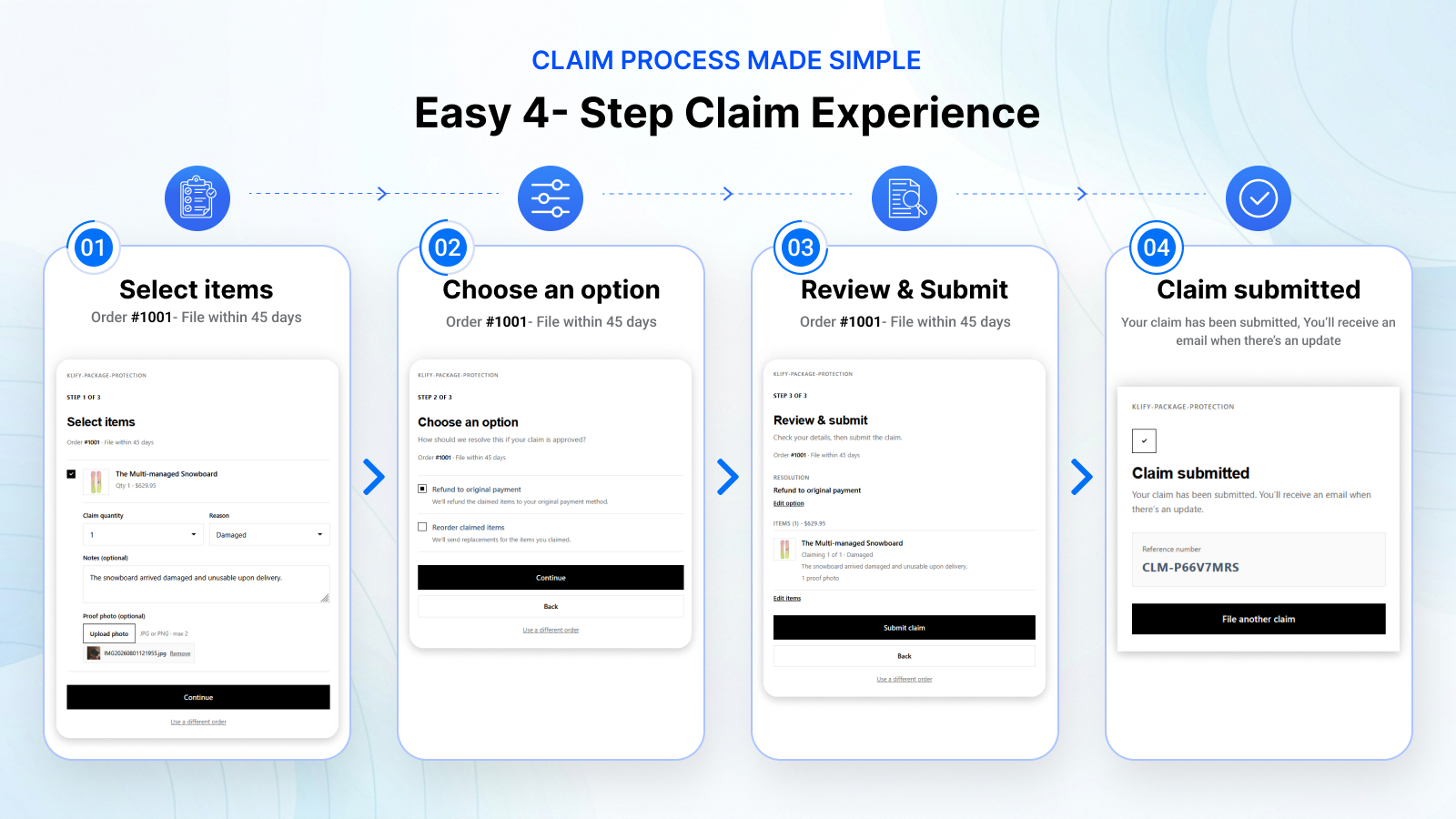
Protected buyers look up their order and file a claim within the window you set.
Customers enter order number and email, pick items and a reason, then submit. They get a claim reference.
Set the claim window, accepted reasons, and whether you offer refund or replacement.
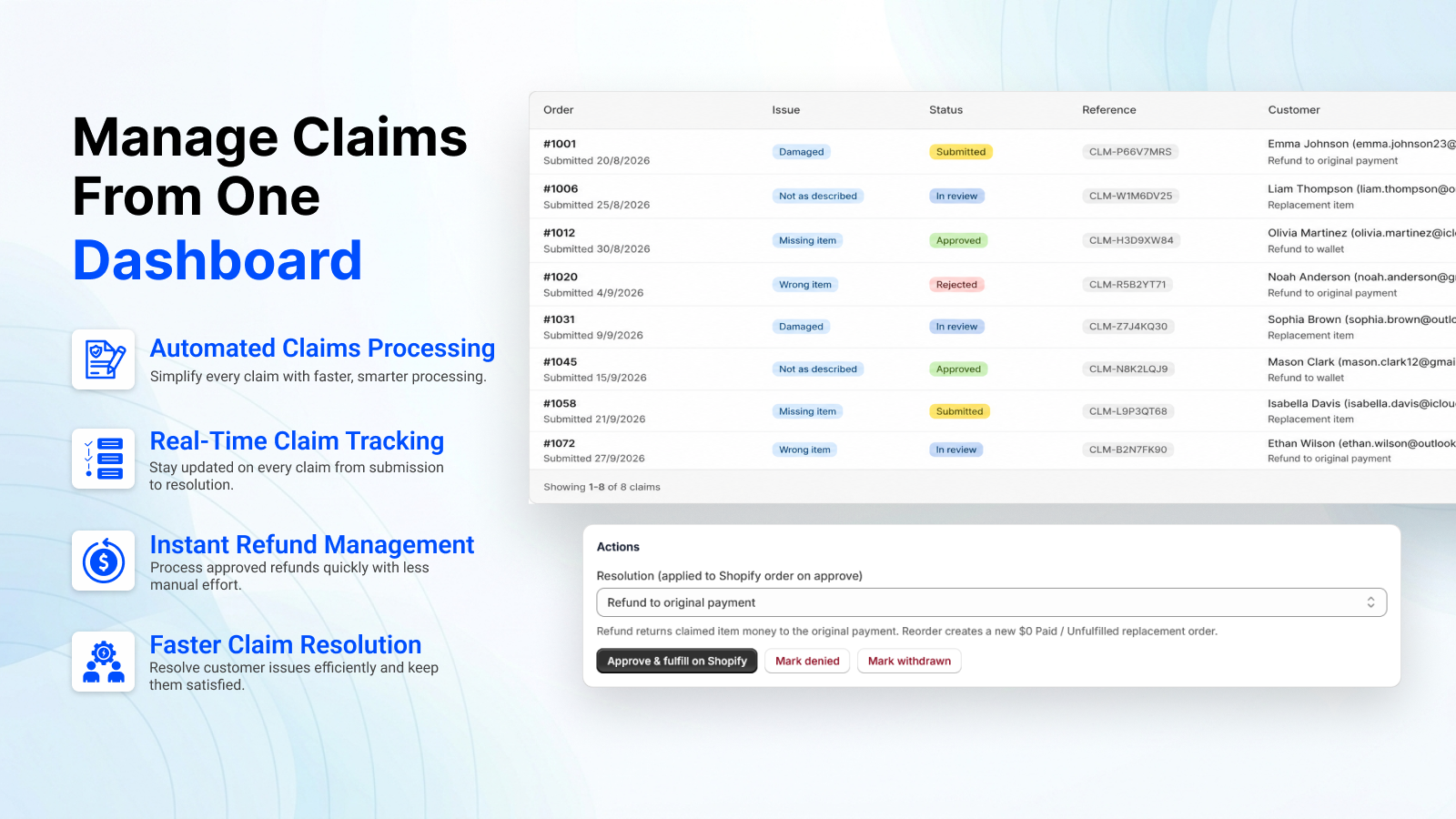
Review claims in one place, then refund or create a replacement order in Shopify.
See issue type, status, and customer in one table. Move a claim from submitted to approved or denied.
Refund to the original payment, create a replacement order, or issue store credit.
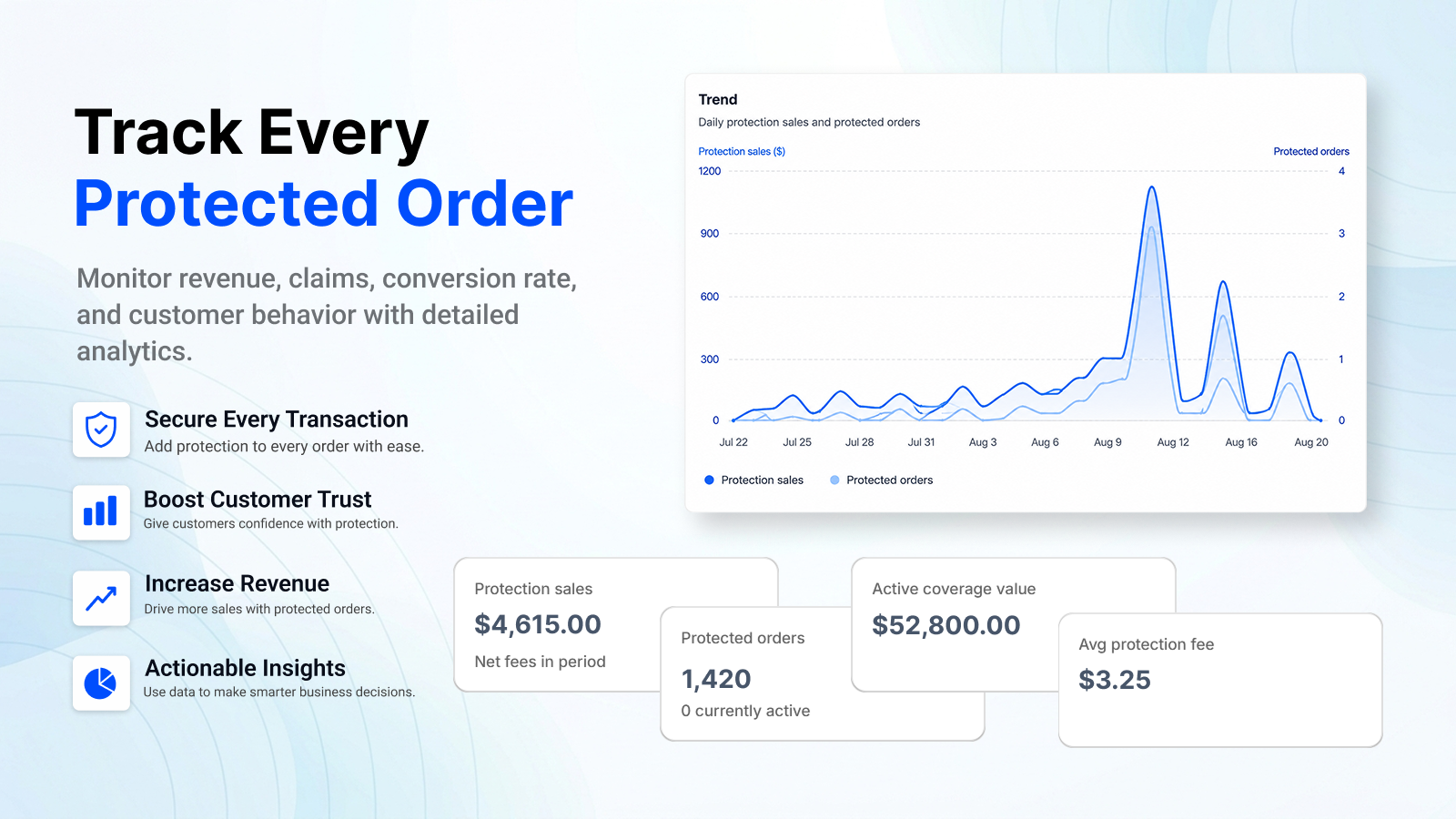
See protection sales, protected orders, and claim volume from Home — without leaving the app.
Answers for merchants evaluating Klify - Shipping Protection.