Home/Klify - Progress Bar & Upsells
Klify - Progress Bar & Upsells
Shopify app
Klify - Progress Bar & Upsells

Turn cart progress into rewards shoppers want

Progress bars, milestone rewards, and cart upsells that lift average order value.

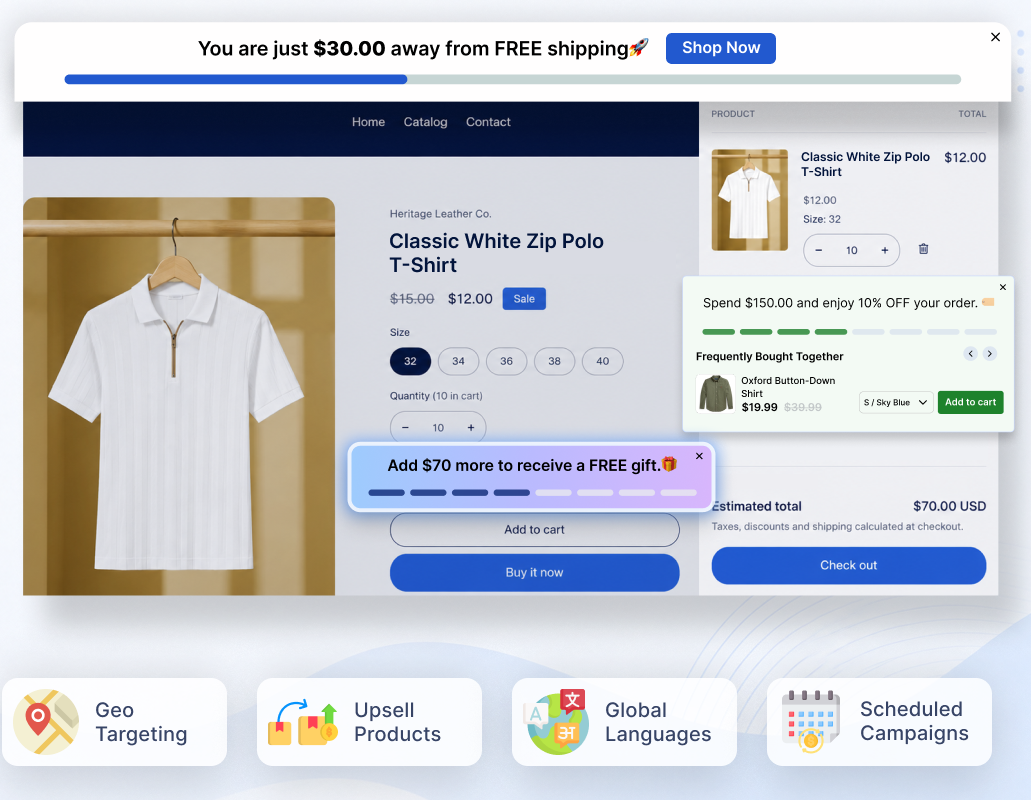
Klify progress bar, multi-goal rewards, and AI upsells on a Shopify product page
Overview

Klify - Progress Bar & Upsells shows a live progress bar as shoppers add to cart. Unlock free shipping, discounts, or coupon codes at each goal — then recommend related products with an upsell widget.

4
Reward types
Multi-goal
Campaigns
2.0 + Vintage
Theme support
AI or manual
Cart upsells
Process

How it works

1

Set goals & rewards

Choose cart value or quantity milestones, then attach free shipping, discounts, or coupons.
2

Choose who sees it

Target by customer, country, page, and schedule so the bar only shows where it should.

3

Lift order value

Shoppers see live progress, unlock rewards, and get upsells without leaving the page.

At a glance

What you can run on the storefront

Multi-goal campaigns
Free shipping & discounts
Coupon rewards
AI or manual upsells
Customer, geo & UTM targeting
Rewards

Promotional offers

Each campaign goal can unlock one of these rewards when the shopper reaches the threshold.

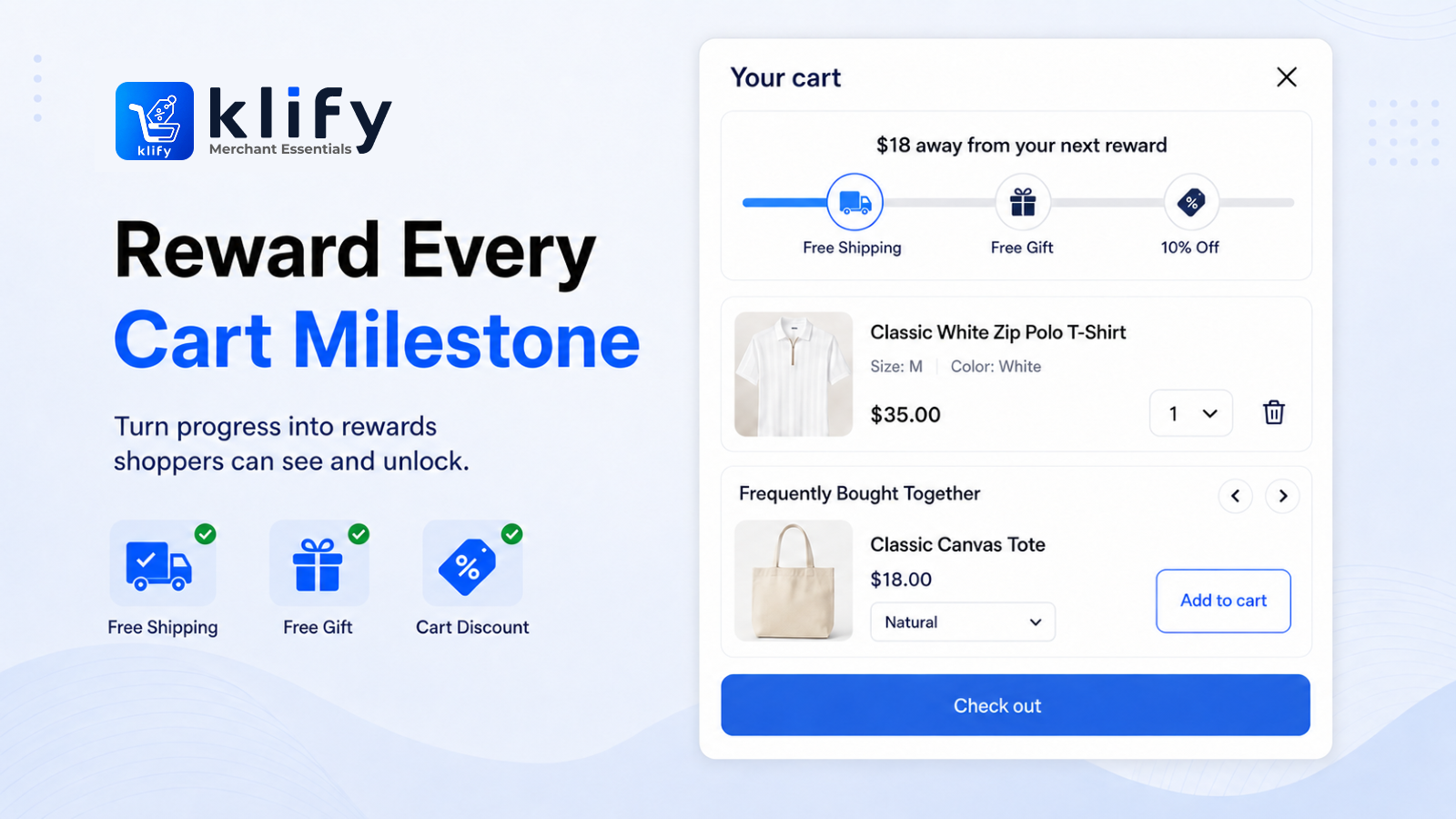
Cart drawer showing milestone rewards, free shipping progress, and frequently bought together products

Free Shipping

Unlock free shipping when the shopper reaches a cart goal.

Percentage Discount

Apply a percentage off the cart, with an optional maximum cap.

Fixed Amount Discount

Apply a set amount off (for example $50 off) when the goal is reached.

Coupon codes

Reveal a Shopify coupon in the bar — percentage or fixed amount — for use at checkout.

01

Campaigns & rewards

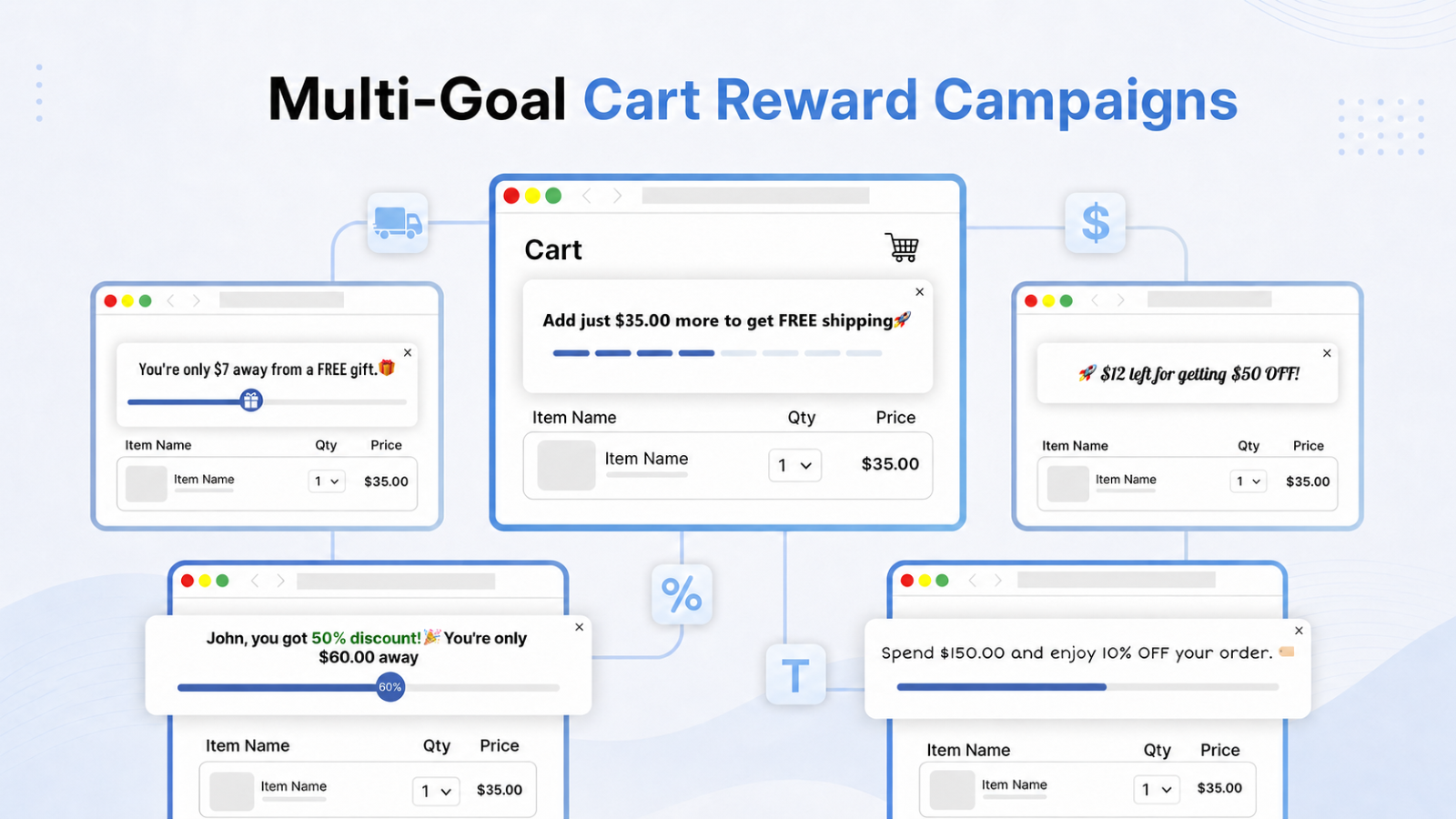
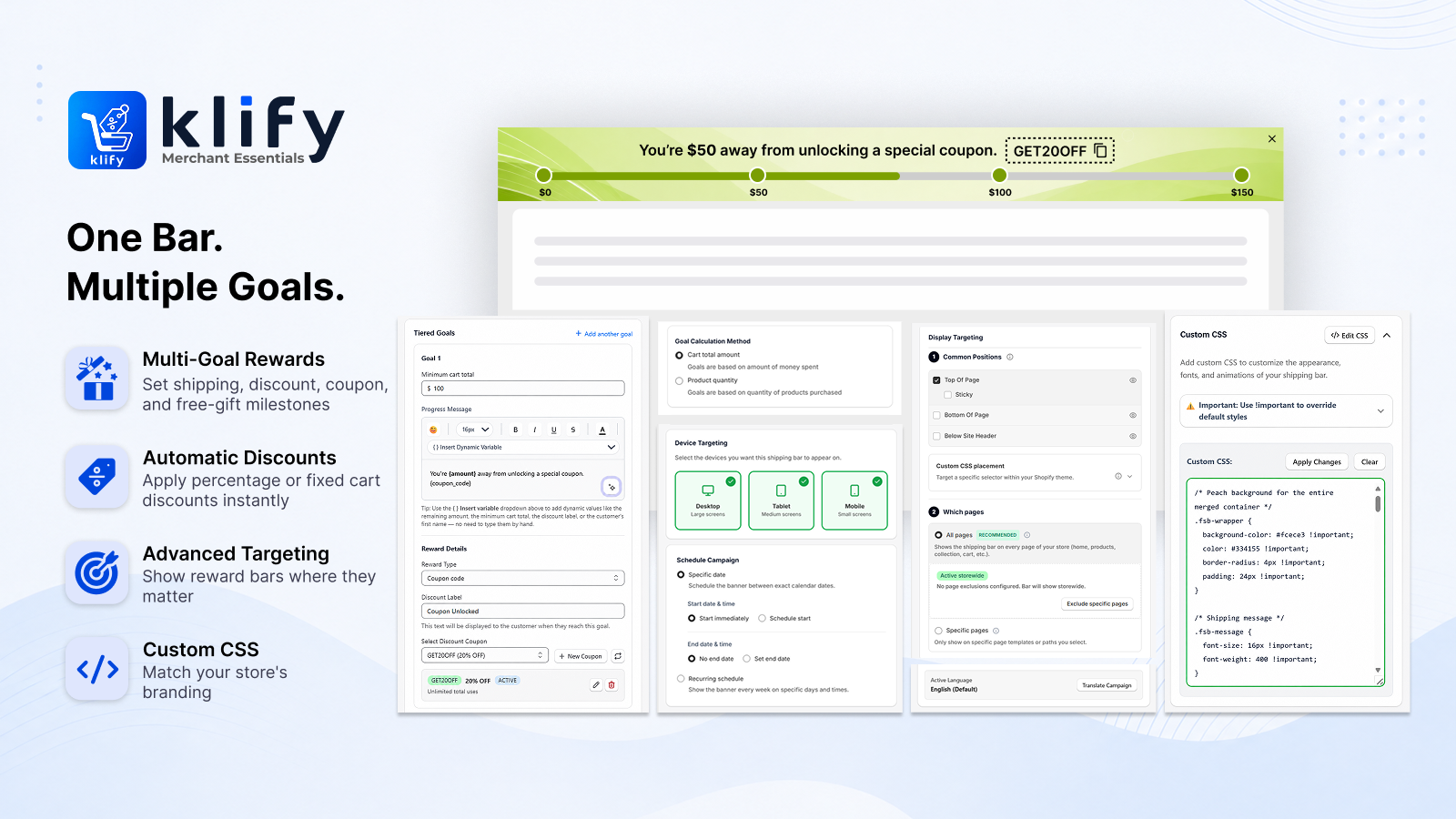
Run one campaign with several milestones. Each goal can have its own reward and message.

Multi-goal cart rewards: free gift, fixed amount off, percentage off, and free shipping bars

Multi-goal campaigns

Add several milestones in one campaign. Shoppers see progress toward the next goal, then the next.

Cart value or quantity

Measure progress from cart subtotal or from how many products are in the cart.

One reward or every reward

When several goals are unlocked, apply every reward or only the highest one reached.

Coupon usage rules

Cap how many times a coupon can be redeemed, and optionally limit each customer to one use.

02

Who sees the bar

Show or hide the campaign by customer, country, page, and schedule — without blocking checkout.

Customers & countries

Target or hide by logged-in status, tags, lifetime spend, and selected countries.

Pages, devices & schedule

Limit to home, product, cart, or other pages; desktop or mobile; and a date range or weekly hours.

UTM & ads

Show the bar only when the landing URL matches UTM values from ads, email, or affiliates.

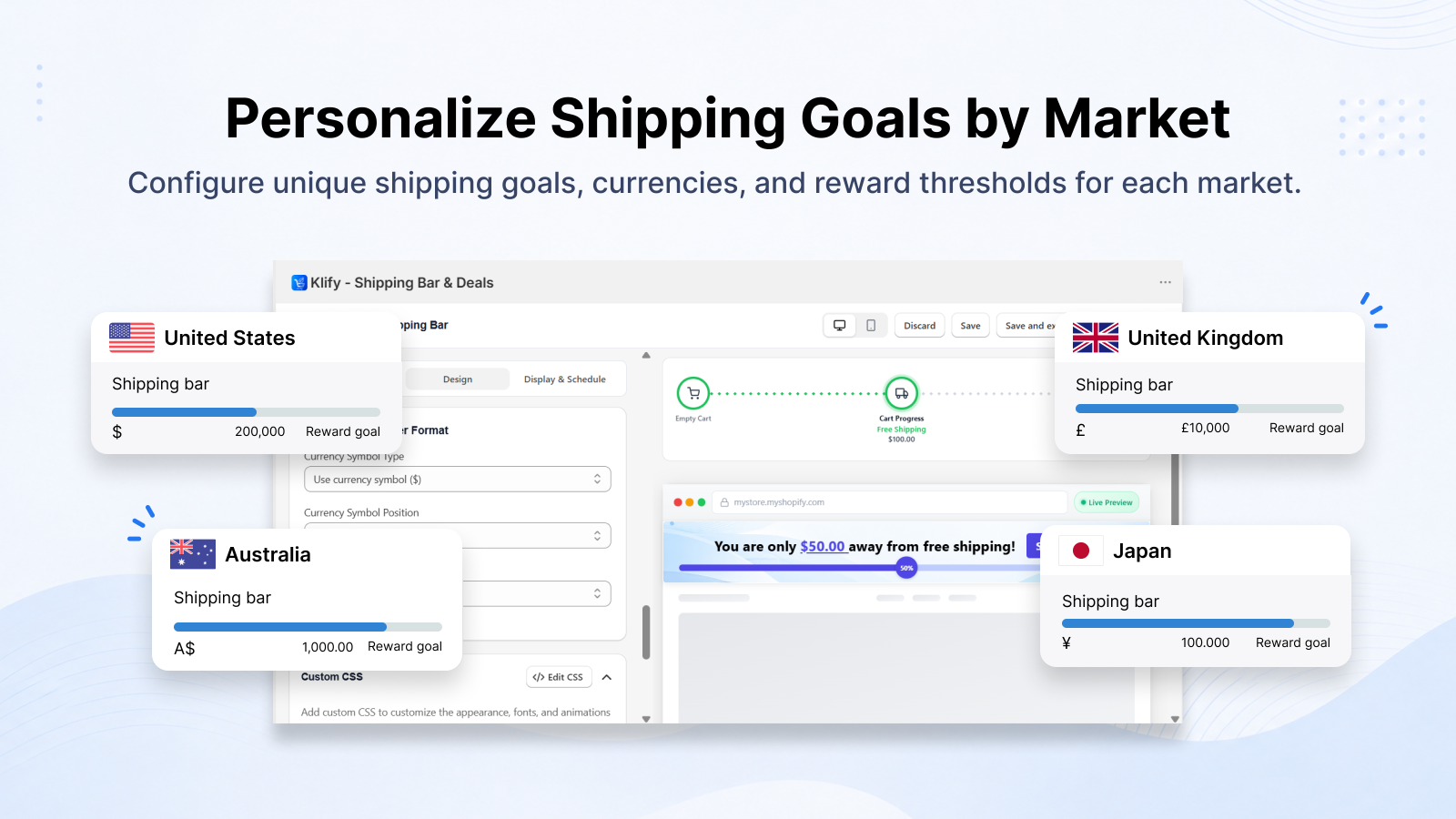
Per-market shipping goals with country, currency, and reward thresholds
Progress bar styles, live preview, and placement on the storefront
03

Look & placement

Match the storefront and put the bar where shoppers will see it.

Progress bar styles

Choose Basic, Step, Percentage, or Progress with Icon. Set colors so the bar matches your brand.

Messages & languages

Write empty-cart, progress, and completion messages. Auto-translate them into published storefront languages.

Where it appears

Top, bottom, below the header, or next to Add to Cart. Works on Online Store 2.0 and vintage themes.

Reward exceptions

Keep gift items or sale SKUs from getting extra rewards, while still counting them toward the goal if you want.

Exclude products or collections

Leave specific products or collections out of free shipping and/or campaign discounts.

Already discounted items

Skip extra discounts on items with a compare-at price, while still counting them toward the goal.

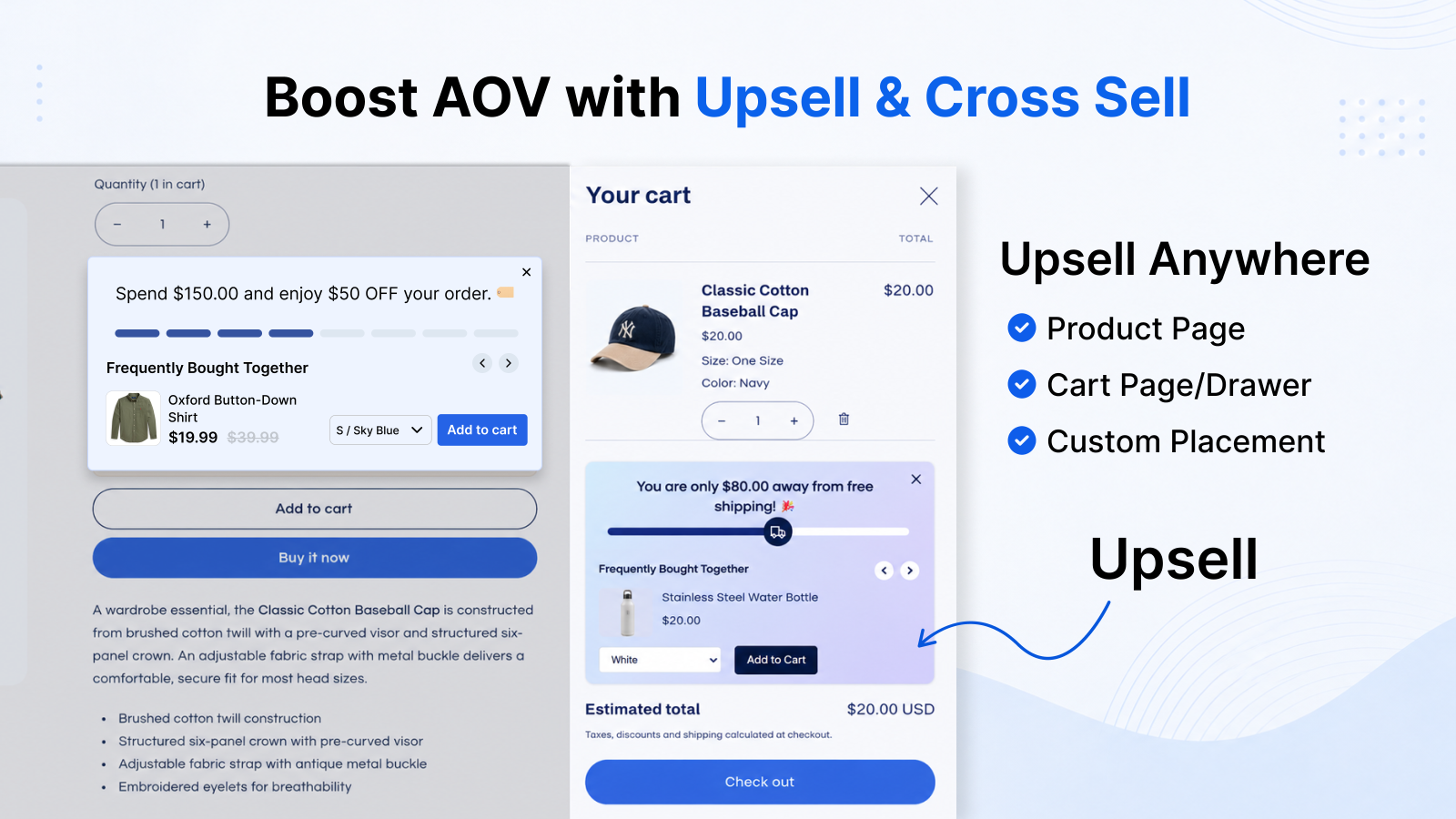
Upsell and cross-sell on the product page and in the cart drawer
05

Cart upsells

Recommend products next to the progress bar — or turn the widget off.

AI or hand-picked

Use related or complementary recommendations, or pick exact products and collections.

Add to cart or view product

Show a carousel or grid with an add-to-cart or view-product action.

Analytics

Track what the bar actually does

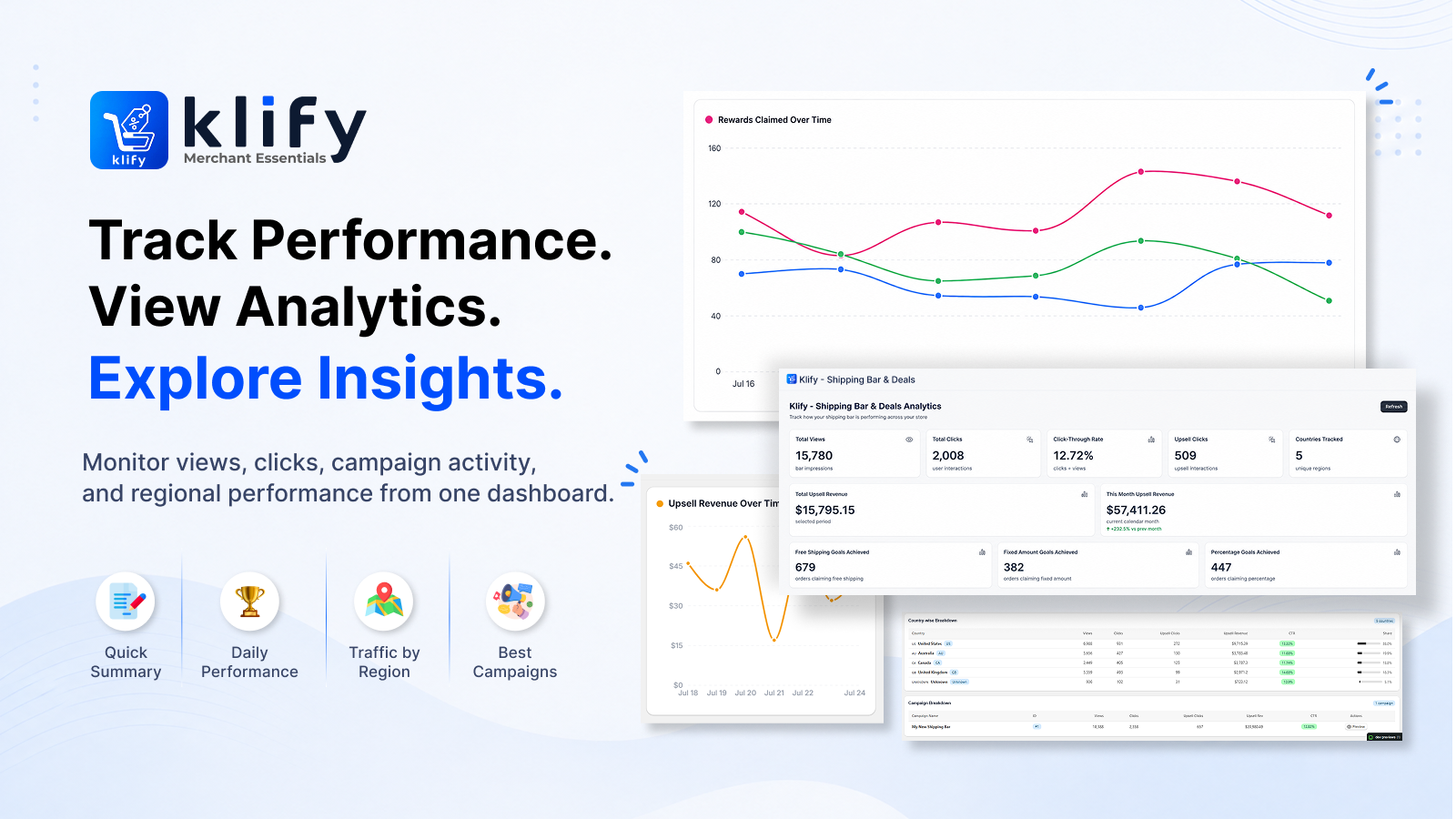
Views, clicks, upsell revenue, and country breakdown live in the same app.

Analytics dashboard with views, clicks, upsell revenue, and country breakdown
Legal

Privacy Policy URL

Copy this URL for the Shopify App Store listing, merchant onboarding, and privacy requests for Klify - Progress Bar & Upsells.

Privacy Policy URL
https://klify.keylogicinfotech.com/reward-bars-and-upsells/privacy-policy

Frequently asked questions

Answers for merchants evaluating Klify - Progress Bar & Upsells.
It shows a progress bar on your storefront that encourages shoppers to add more to reach a goal — free shipping, a discount, or a coupon code. You can also show an upsell widget with AI or manually selected products.

Free shipping, percentage discount (optional cap), fixed amount discount, and coupon codes. Each goal in a multi-goal campaign can use a different reward.

Yes. Add multiple milestones with their own thresholds and rewards. You can apply every unlocked reward or only the last (highest) reward.

Yes. Target by customer, country, page, device, schedule, and UTM parameters from ads or email.

Online Store 2.0: add the app block in the Theme Editor. Vintage themes: paste the generated snippet into a Liquid file.

Choose AI related or complementary products, pick specific products or collections, or turn the widget off. Shoppers can add from a carousel or grid next to the bar.

Copy the Privacy Policy URL on this page (path: /reward-bars-and-upsells/privacy-policy) for the Shopify App Store listing. The same policy is linked in the footer.

Ready to try it on your store?

Install from Shopify and configure your first campaign in minutes.

Install App →