1
Pick a layout
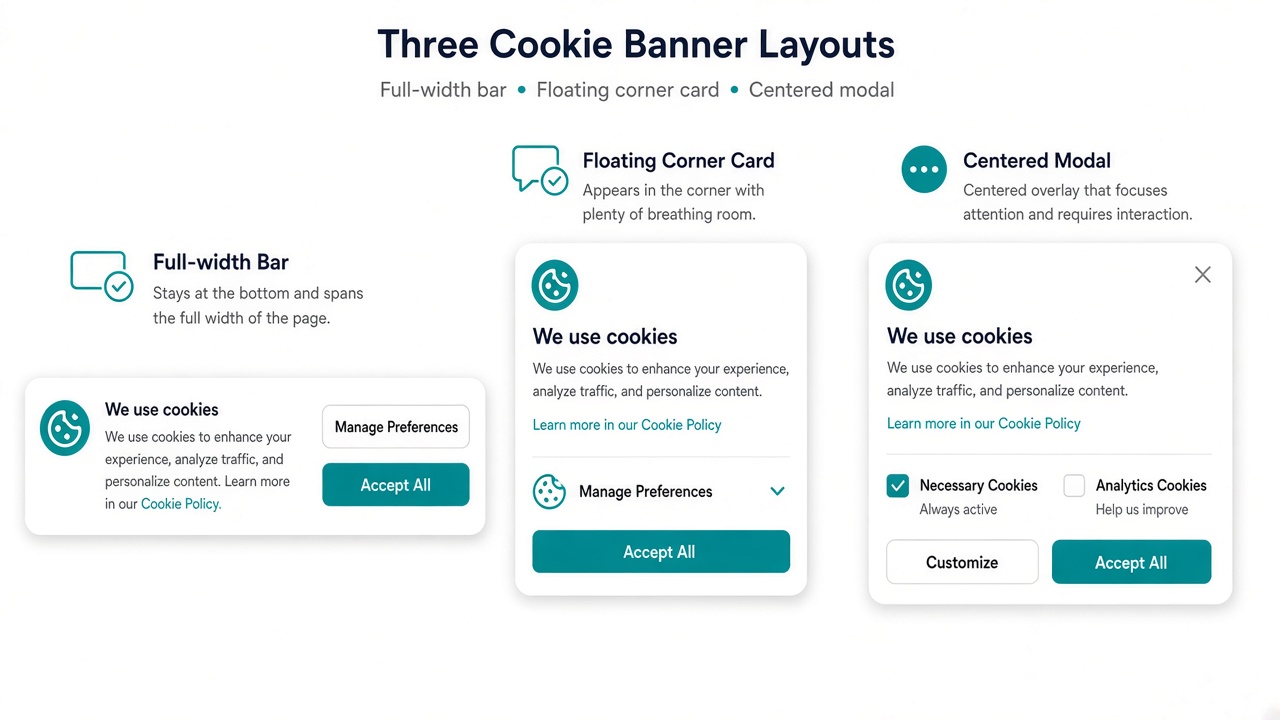
Start with a full-width bar, a floating card, or a centered modal — then place the bar at the top or bottom of the storefront.
A polished cookie banner for Shopify — clear consent, brand-matched design, and remembered choices.
Klify - Cookie Consent helps merchants show a professional cookie notice without editing theme code. Choose a full-width bar, floating card, or modal; customize message and CTAs; optionally show Decline and a privacy policy link; match brand colors; and remember each visitor’s decision for a configurable period. Built for stores that want a clean compliance surface while they prepare for deeper consent controls.
Start with a full-width bar, a floating card, or a centered modal — then place the bar at the top or bottom of the storefront.
Edit the message, Accept and Decline labels, colors, and privacy policy link so the banner feels native to your theme.
Store the visitor’s decision locally for the expiry window you set, and track banner views and accept events as the app rolls out.
Use a discreet bar for everyday browsing, a floating card for lighter interruption, or a modal when you need a decisive consent moment.
A slim top or bottom bar that stays visible without covering the product page — ideal for most Shopify themes.
A compact corner card for stores that want consent without a full-bleed strip across the viewport.
A focused consent dialog with overlay when you want shoppers to decide before continuing.
Toggle the widget, edit labels, show or hide Decline, and set how long the choice is remembered.
Switch between bar, floating, and modal presentations without theme code. Position the bar at the top or bottom to match your header and announcement strips.
Anchor the notice where it won’t collide with sticky carts or announcement bars on your theme.
Buttons and copy wrap cleanly on mobile so Accept and Decline stay tappable on small screens.
The storefront widget is designed to stay small and non-blocking so checkout performance stays healthy.
Try bar vs floating vs modal from Banner Settings and publish the style that fits your brand voice.
Consent should feel like your store — not a third-party sticker. Control the message, CTAs, and palette from Shopify admin.
Write clear consent copy and rename Accept / Decline so the language matches your market and tone.
Align banner colors with your theme so the notice reads as part of the storefront system.
Point shoppers to your policy page so the banner supports transparent data practices.
Show Decline when you want an explicit no path, or keep a simpler Accept-forward layout.
Once a shopper decides, the banner stays out of the way until your expiry window ends — then it can ask again.
Visitor choices are stored on-device so returning shoppers are not nagged on every page view.
Set memory from 1 to 730 days for Pro plans so re-consent cadence matches your legal guidance.
Hide the notice for the full validity window after Accept or Decline to protect conversion.
When expiry lapses, the banner returns automatically without merchant maintenance.
Ship a clear notice today, with a path toward richer consent categories and regional rules as the product matures.
Tell shoppers cookies are used, link to your policy, and capture an explicit Accept decision.
Craft region-appropriate copy for EU and US shoppers; advanced geo automation is on the roadmap.
Necessary, analytics, marketing, and preferences toggles are planned for a full preference center.
Future releases aim to gate non-essential tags until consent is granted — beyond a visual banner alone.
Start simple, then unlock Decline, privacy links, layouts, colors, and custom expiry as your store grows.
Core banner with custom message and Accept CTA — enough to put a professional notice live.
Adds Decline control and a privacy policy link for clearer two-way consent.
Unlocks layout styles, brand colors, and configurable consent memory windows.
Plan tiers include storefront view allowances so growing catalogs stay covered.
Answers for merchants evaluating Klify - Cookie Consent.